
 abcde
Stop 1
Look around
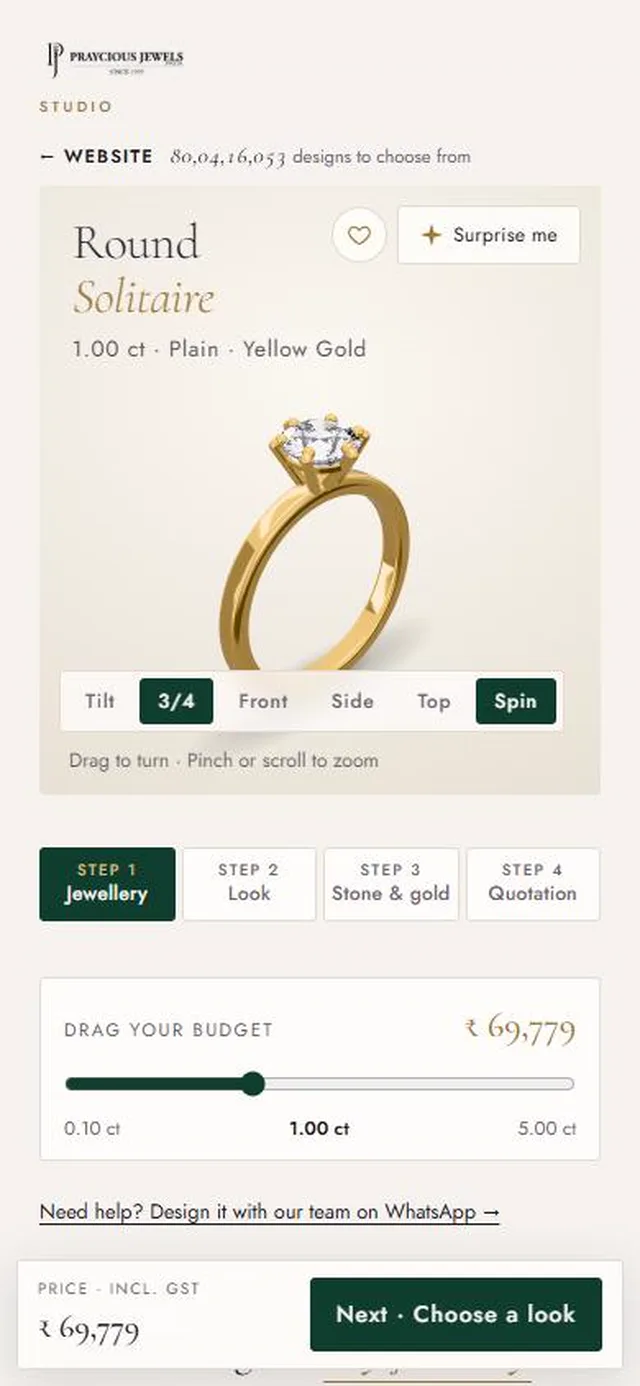
- aTurn the piece. Drag it with your finger. Pinch to zoom.
- bTilt. Tap Tilt and lean your phone. The light moves through the diamond.
- cSave it. The heart keeps a design in Your picks.
- dSurprise me. One tap shows you another finished design.
- eDrag your budget. Move the slider. The diamond grows and the price changes as you go.
 abc
Stop 2
Find your design
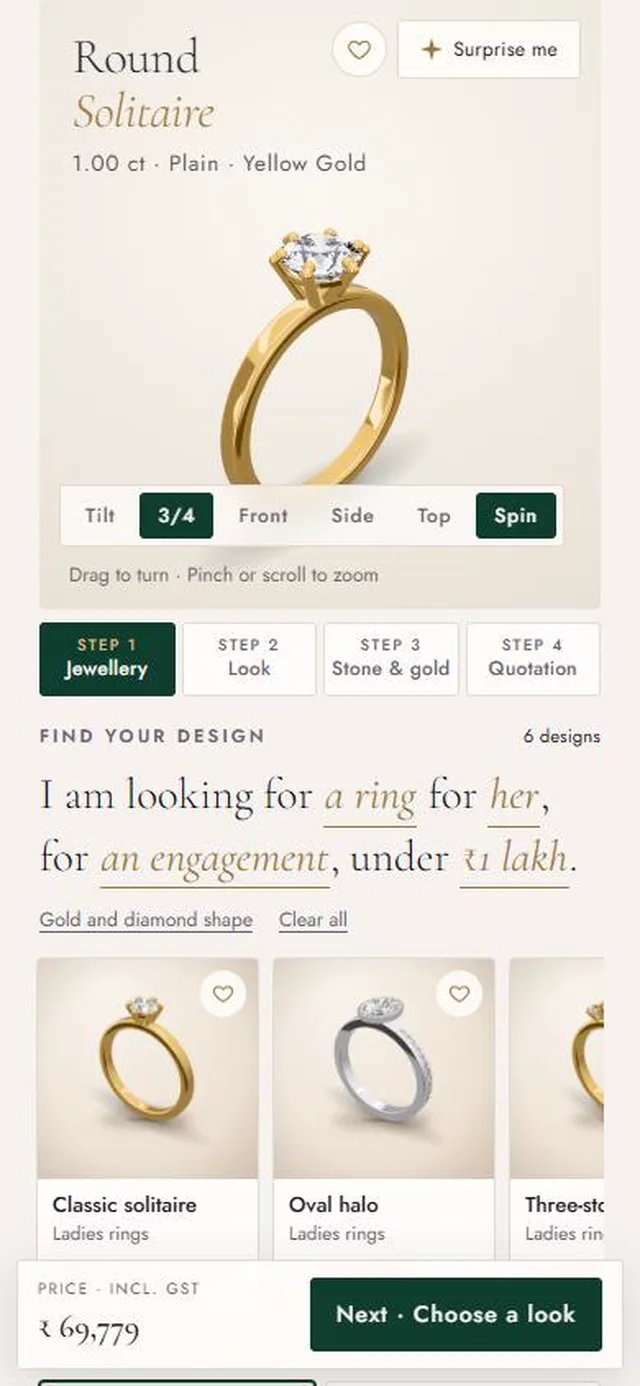
- aFinish the sentence. Tap the gold words: what you want, who it is for, the moment and your budget.
- bTap a design. It opens in 3D, ready to change. Swipe sideways to see more.
- cOr go step by step. Choose the jewellery and tap Next. The button always shows where you go next.
 abc
Stop 3
Choose the stone and gold
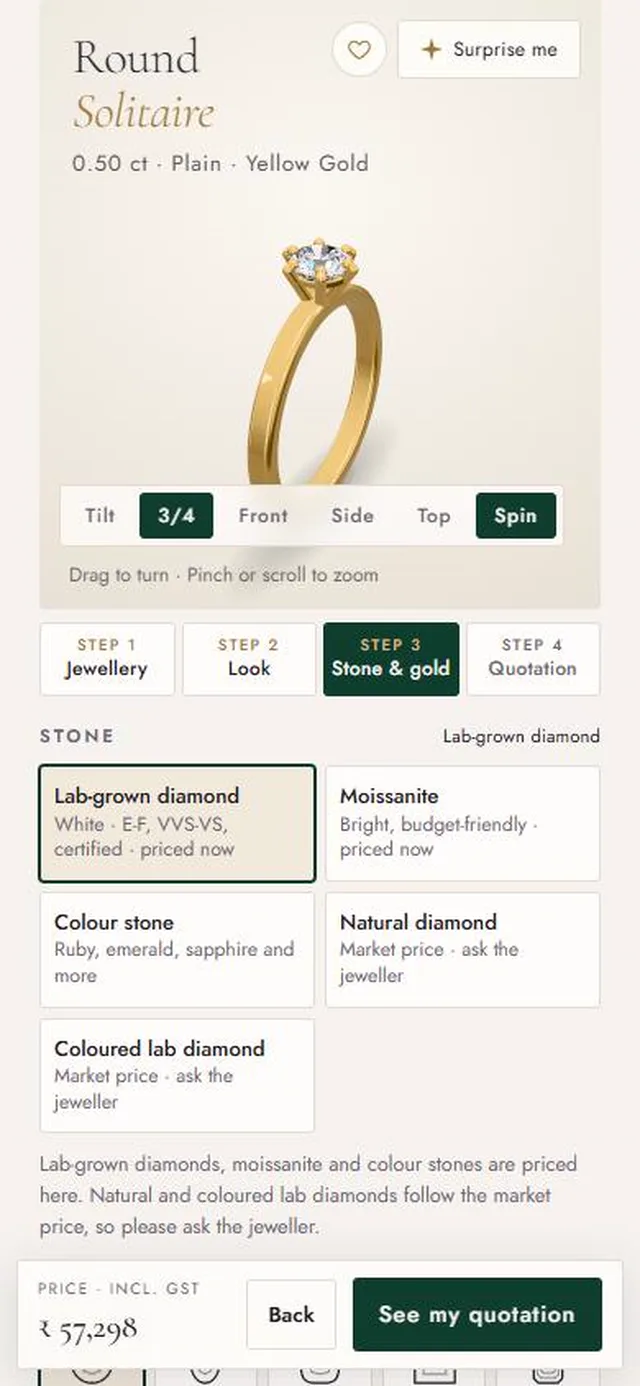
- aPriced right here. Lab-grown diamond, moissanite and colour stones show the price at once.
- bAsk the jeweller. Natural and coloured lab diamonds follow the market, so we confirm today's price on WhatsApp.
- cKeep going. Below you choose the carat, gold colour, purity and size. Rings can have free engraving inside the band. Then tap See my quotation.
 ab
Stop 4
Get your quotation
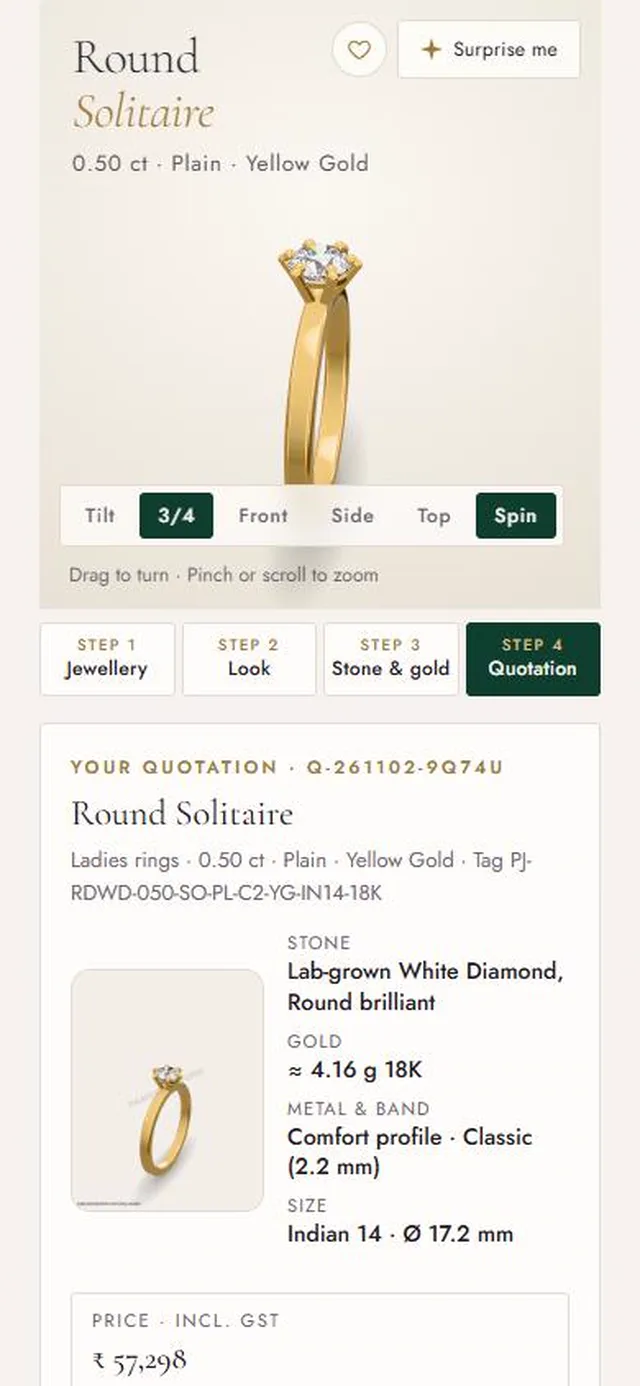
- aEverything in one place. The design, stone, gold, size and tag.
- bYour price, then your choice. Scroll down to download the quotation, pay securely or talk to our team first.
 abc
Stop 5
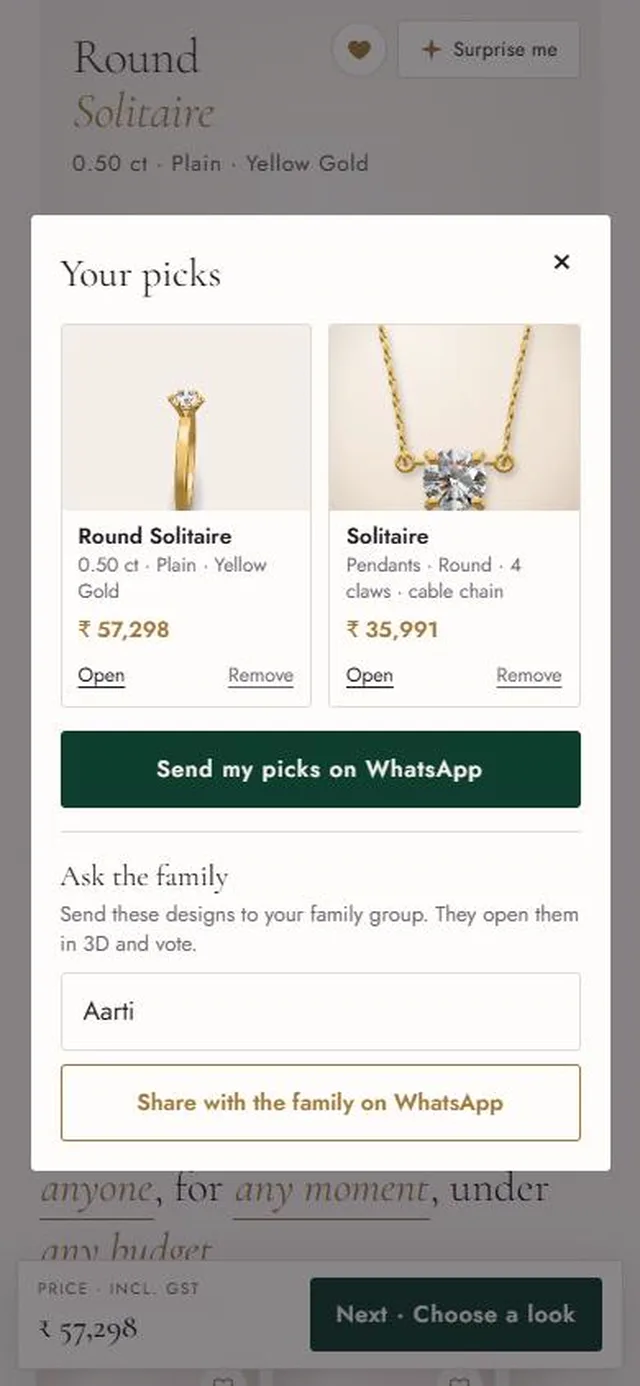
Share it with your family
- aYour picks. See the designs you saved side by side.
- bSend them to us. One tap sends them to our team on WhatsApp.
- cAsk the family. Share a link. They open the designs in 3D and vote.
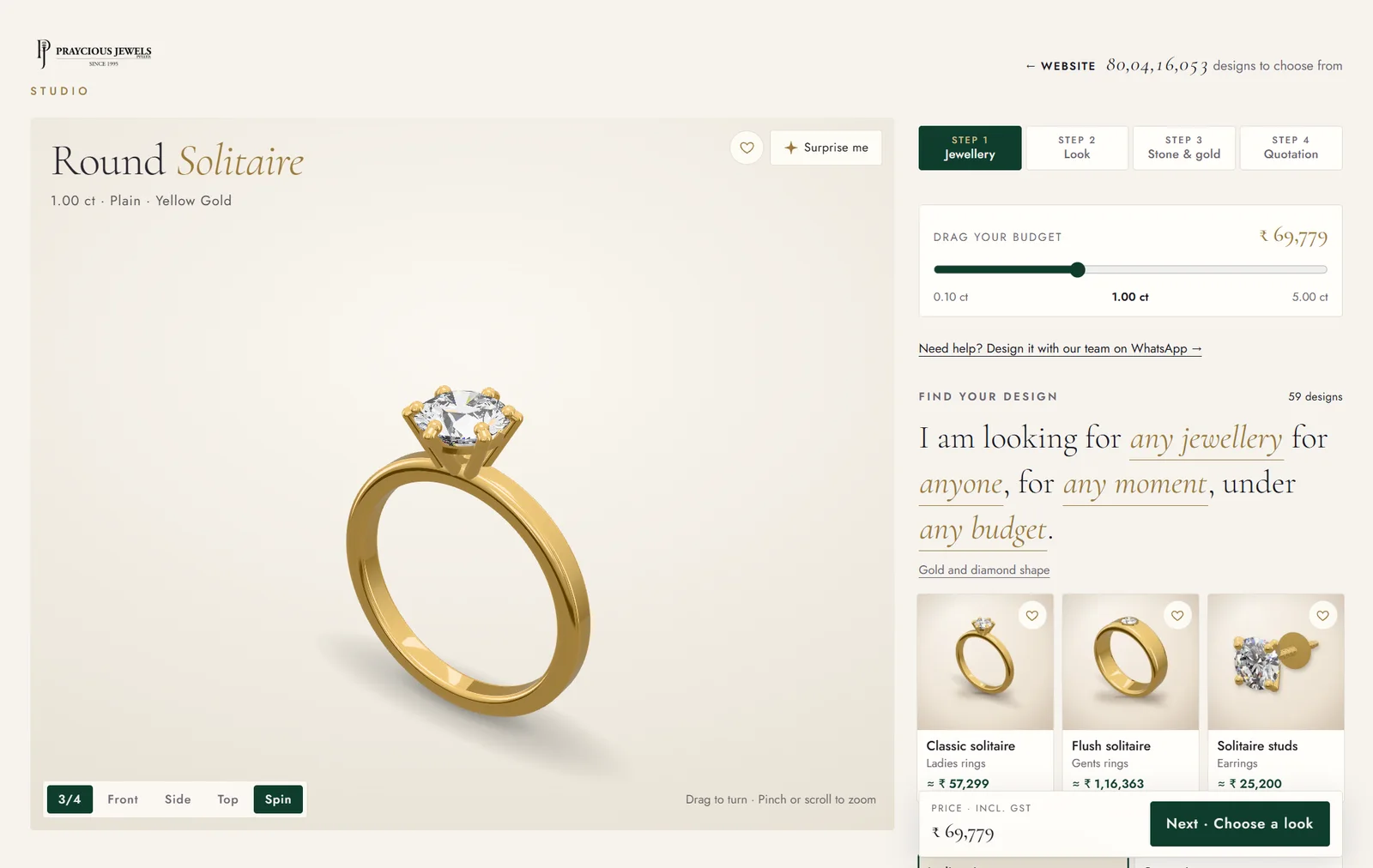
Everything on one screen
The piece stays on the left. You choose on the right, and it changes as you go.
 1234567
- 1Turn the piece. Drag it with your mouse. Scroll to zoom.
- 2Save it, or be surprised. The heart keeps a design in Your picks. Surprise me shows another.
- 3Four steps. Jewellery, Look, Stone & gold, Quotation. Click any step to go back.
- 4Drag your budget. The diamond grows and the price changes as you go.
- 5Finish the sentence. Click the gold words: what you want, who it is for, the moment and your budget.
- 6Click a design. It opens in 3D, ready to change.
- 7Next. The button always shows where you go next, and the price beside it is up to date.
Natural and coloured lab diamonds follow the market, so we confirm today's price on WhatsApp. Rings can have free engraving inside the band.
The prices in these pictures are examples. The Studio always shows the price for your design.